Logo with a circular design combining barcode and sliders, surrounded by inventory-related icons, with text 'Easy Inventory by Kinvo LLC'.

Easy Inventory
Memberships

Setup takes just a few minutes.

Create an  Account

What is EasyInventory

EasyInventory is a mobile application designed to simplify and streamline inventory management for businesses. Whether you run a small retail shop or a large warehouse, this app helps you efficiently track product stock, update inventory levels, and ensure accurate inventory records in real time.

Key Features

Barcode Scanning – Quickly search for products using barcodes.
Real-time Inventory Updates – Modify stock quantities instantly.
Product Search – Find products by barcode or manual search.
User Authentication – Secure login to protect inventory data.
Subscription-Based Model – Future-ready for premium access.
Seamless Integration – Connects inventory hosting API for accurate stock tracking.

Smartphone displaying an inventory management app interface surrounded by icons for barcode, cloud security, search, analytics, chat, and document management on a blue and purple gradient background.

Who can use it?

📦 Store Owners
🏪 Warehouse Managers
🛍️ Retail Businesses
📊 Inventory Supervisors

Collage of four diverse retail and warehouse workers standing confidently in their work environments.

How it works

After logging in with membership account

1️⃣ Scan or enter a product barcode.
2️⃣ View product details and current stock levels.
3️⃣ Update stock quantity (increase or decrease).
4️⃣ Changes are synced with the database in real-time.
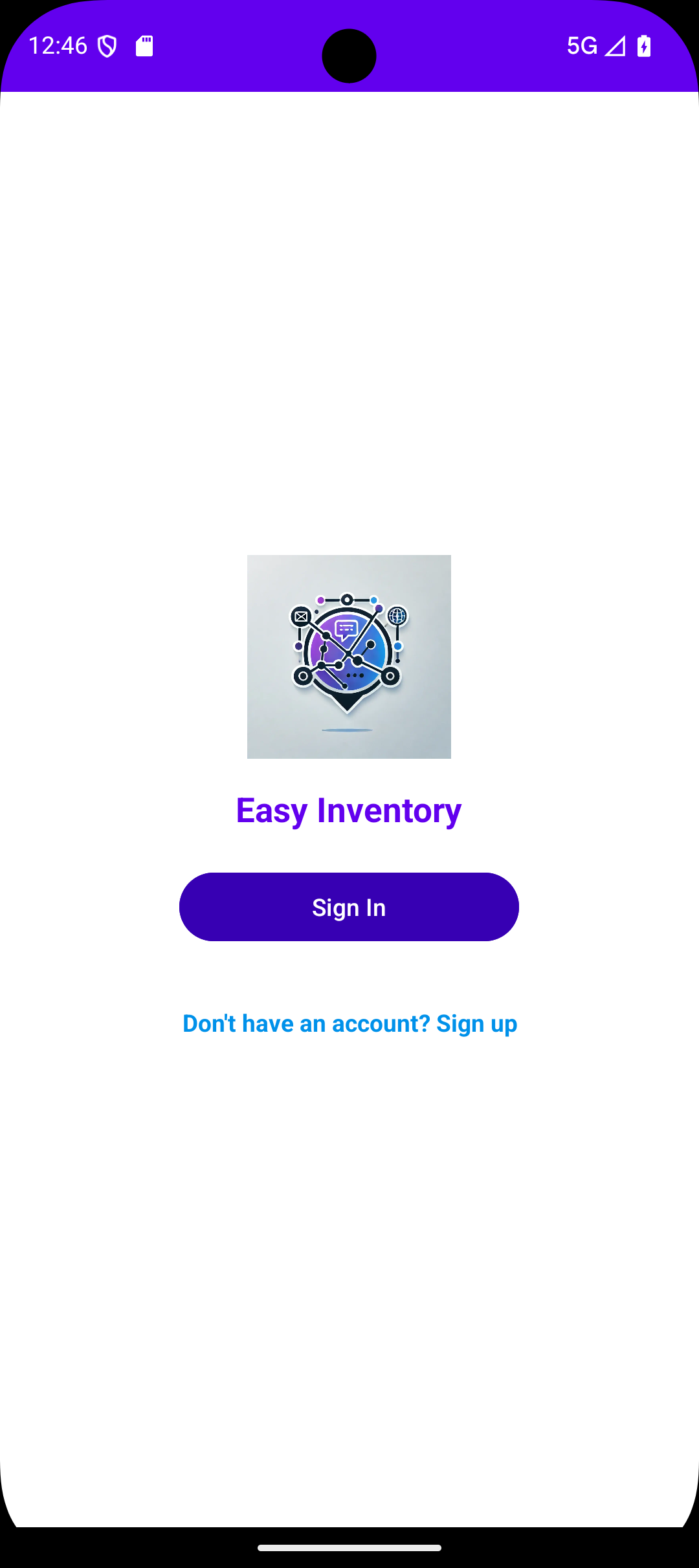
Mobile app login screen with a logo, title Easy Inventory, purple Sign In button, and a sign-up prompt.
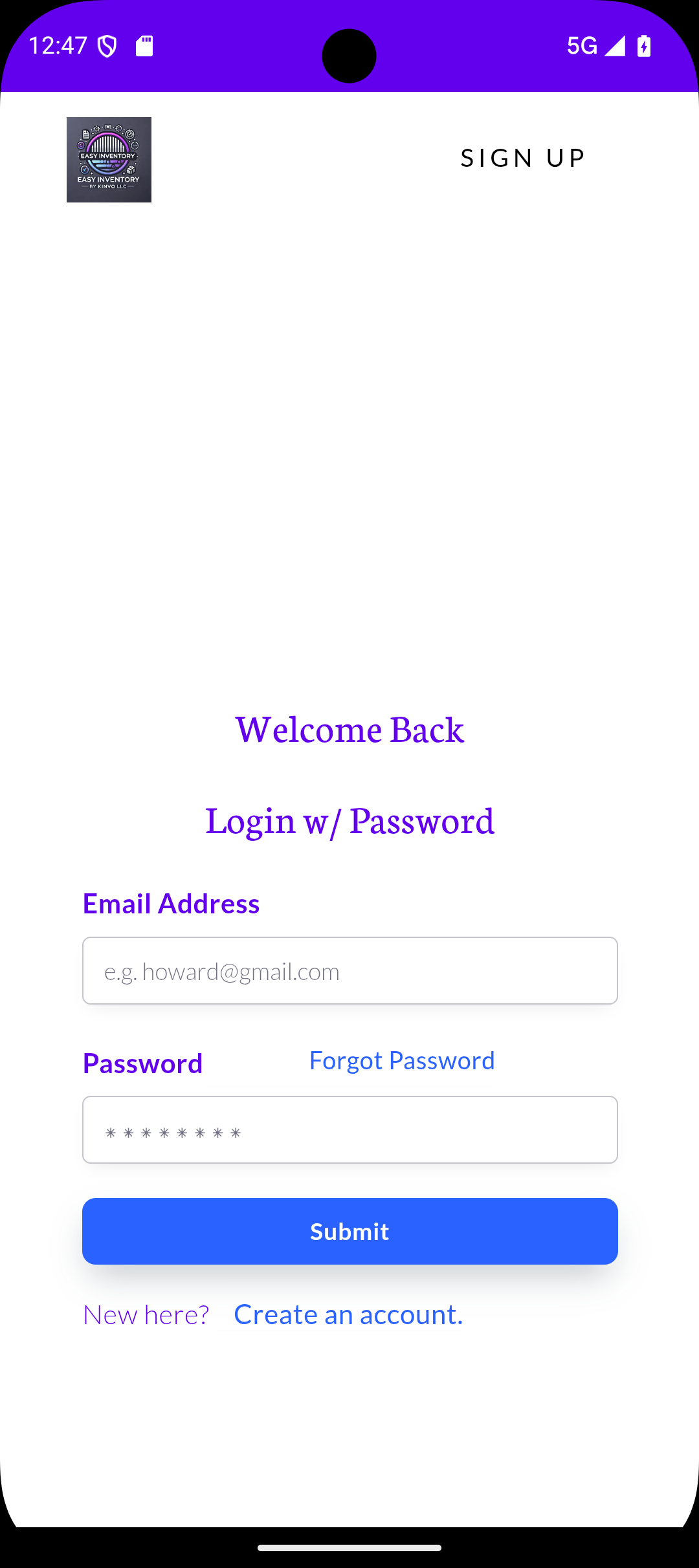
Mobile app login screen with fields for email and password, a submit button, forgot password link, and option to create an account.
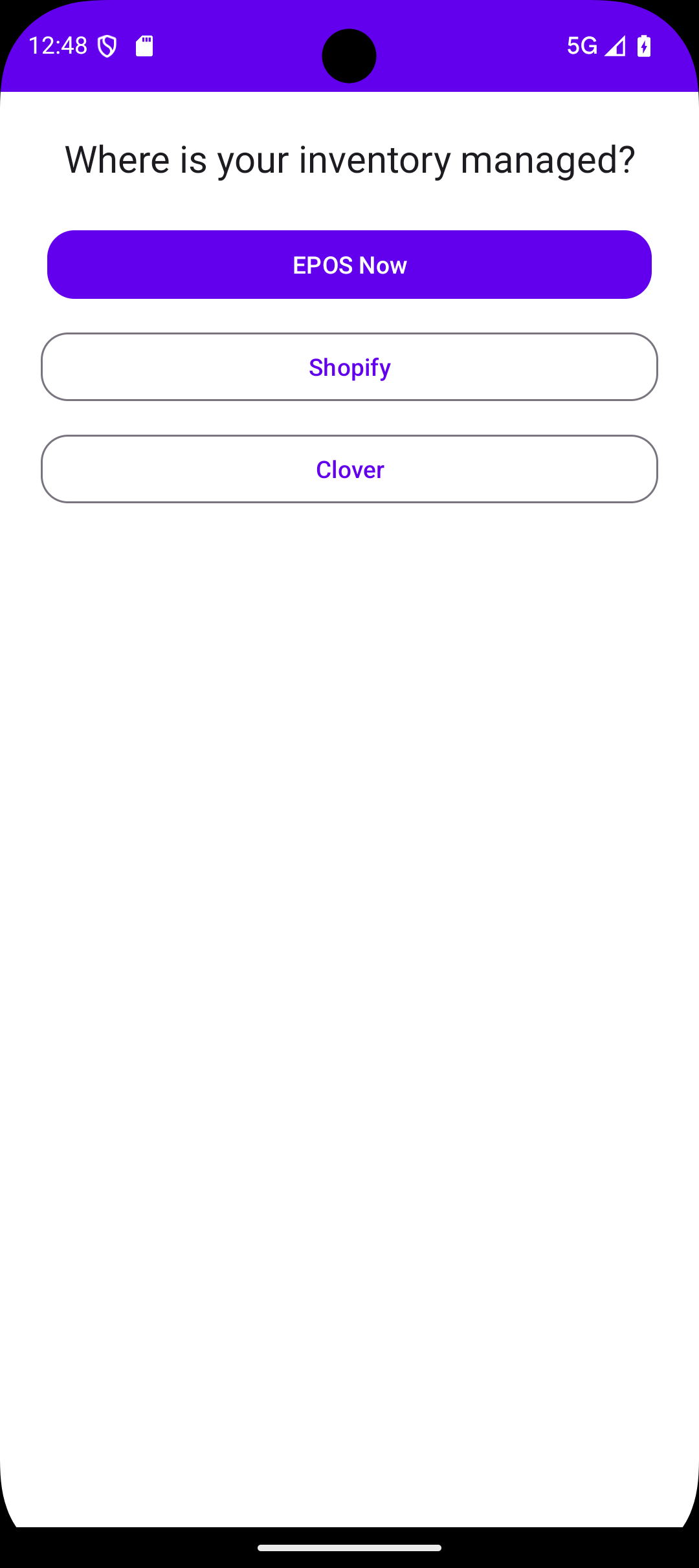
Mobile screen showing a question 'Where is your inventory managed?' with three selectable options: EPOS Now in a purple button, Shopify, and Clover in outlined buttons.
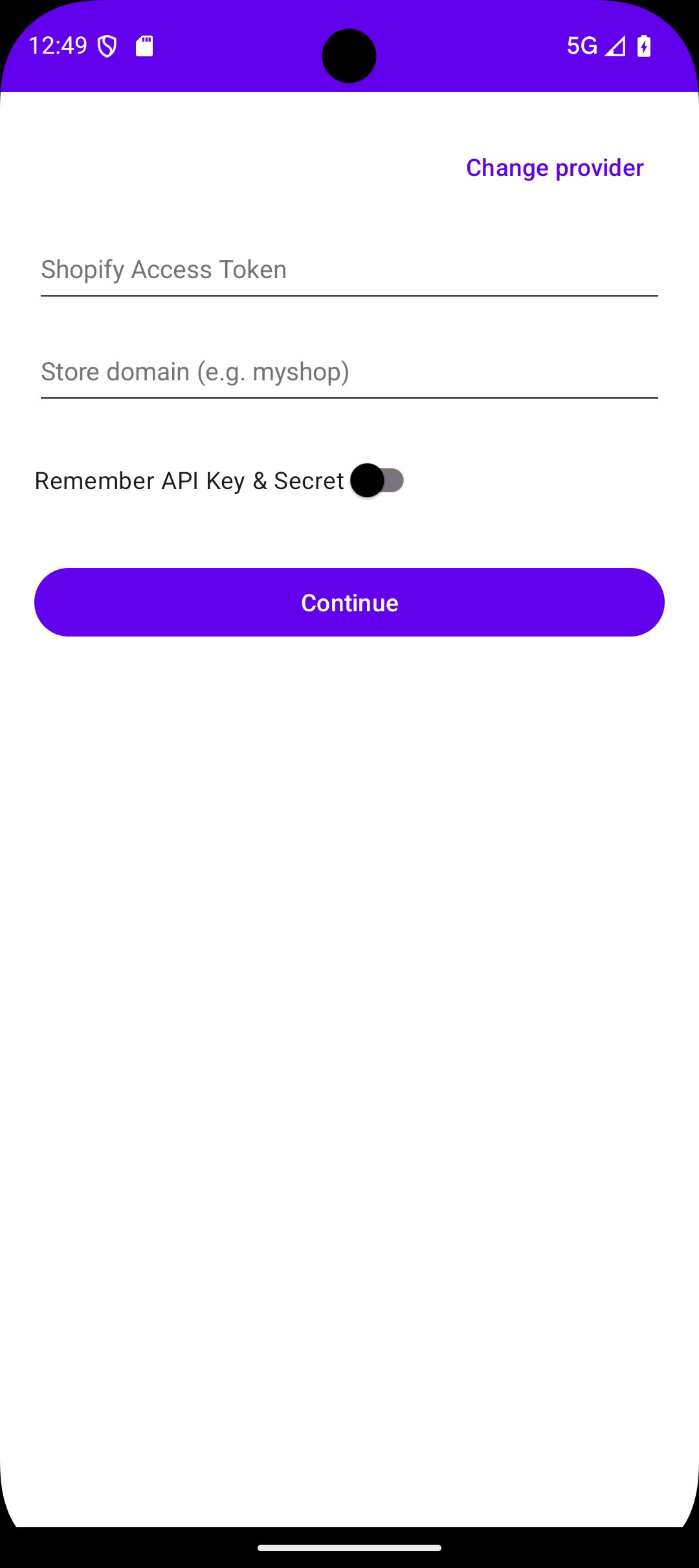
Mobile screen showing a Shopify login form with fields for Access Token and Store domain, a toggle to remember API Key and Secret, and a purple Continue button.
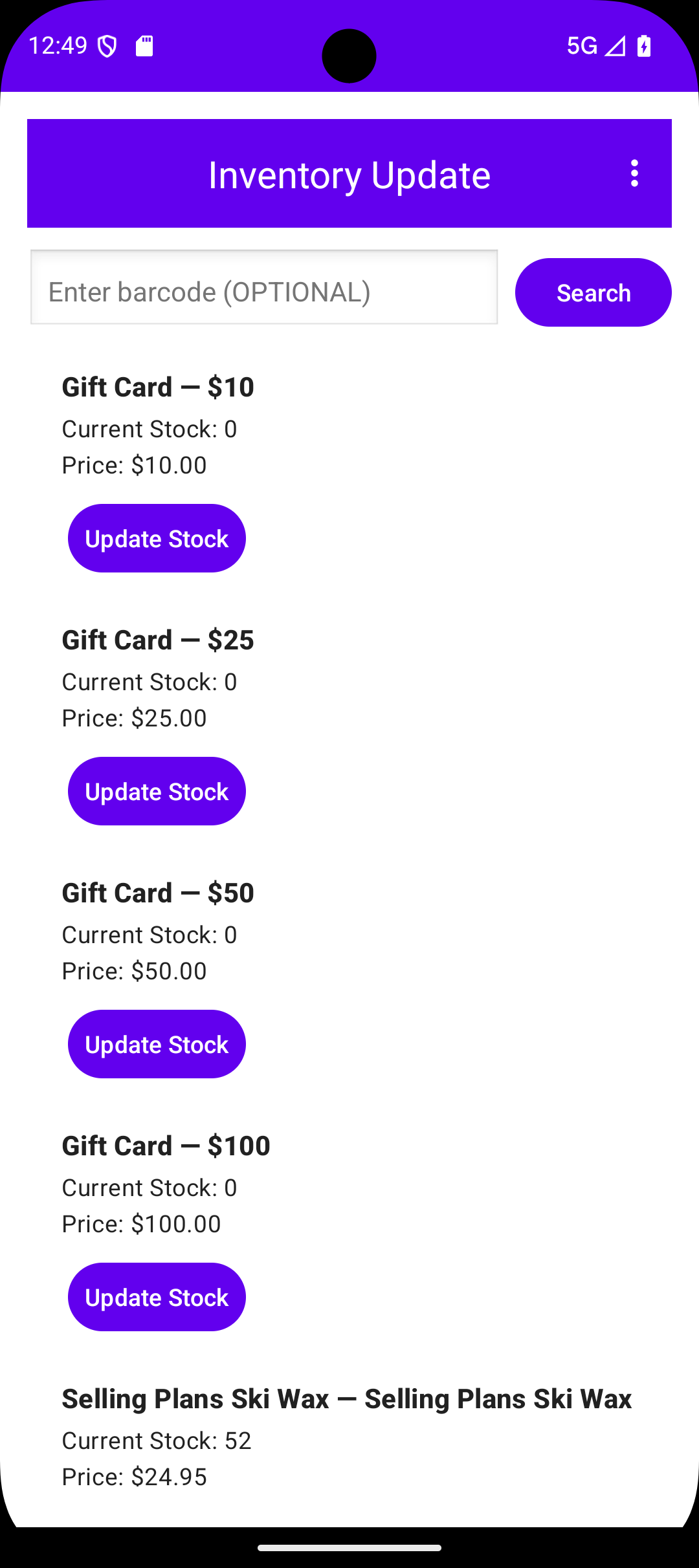
Mobile inventory update screen showing gift cards priced at $10, $25, $50, and $100 with zero stock, and Selling Plans Ski Wax with 52 in stock.
Mobile screen showing Inventory Update app with stock details for items including Selling Plans Ski Wax and The 3p Fulfilled Snowboard; popup dialog to update stock with input field and cancel and apply buttons.
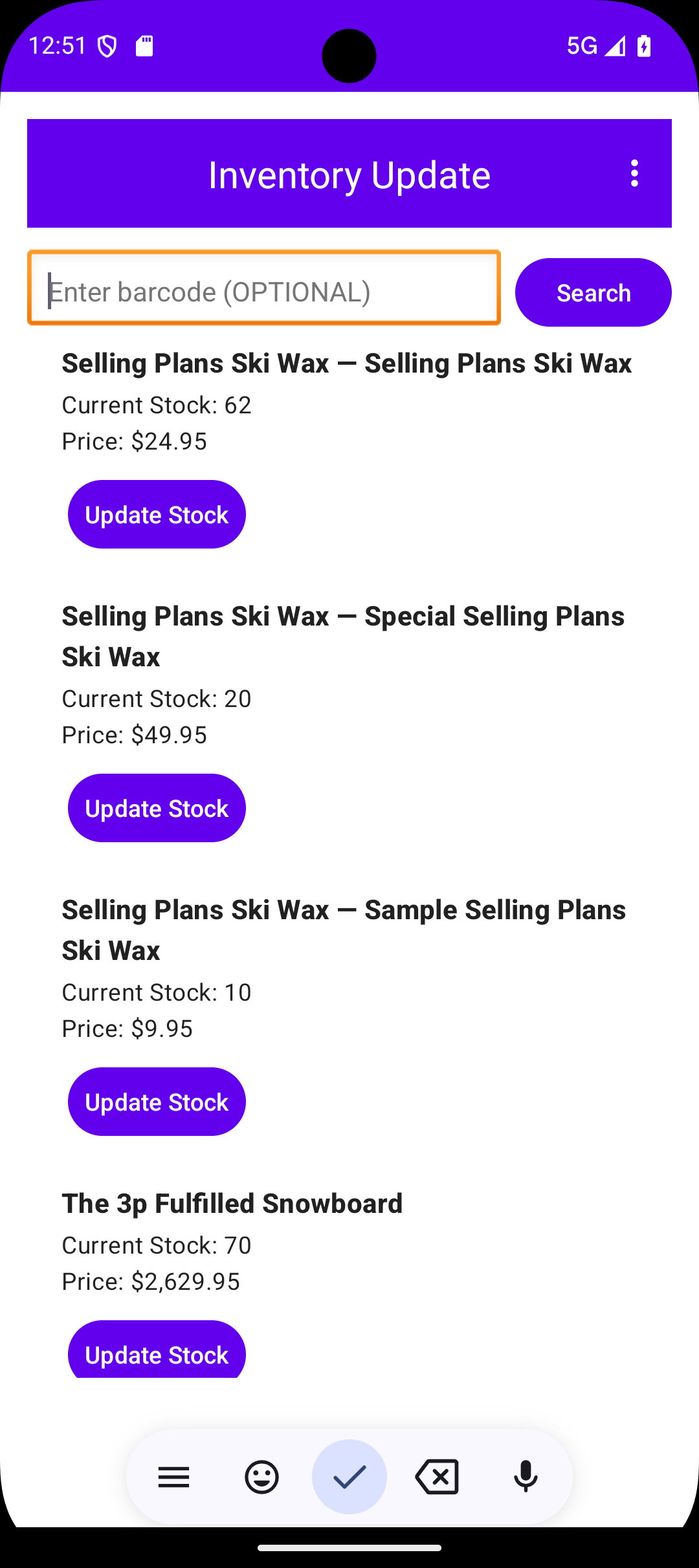
Mobile app screen titled Inventory Update showing input field for barcode and list of products with current stock and price, each having an Update Stock button.
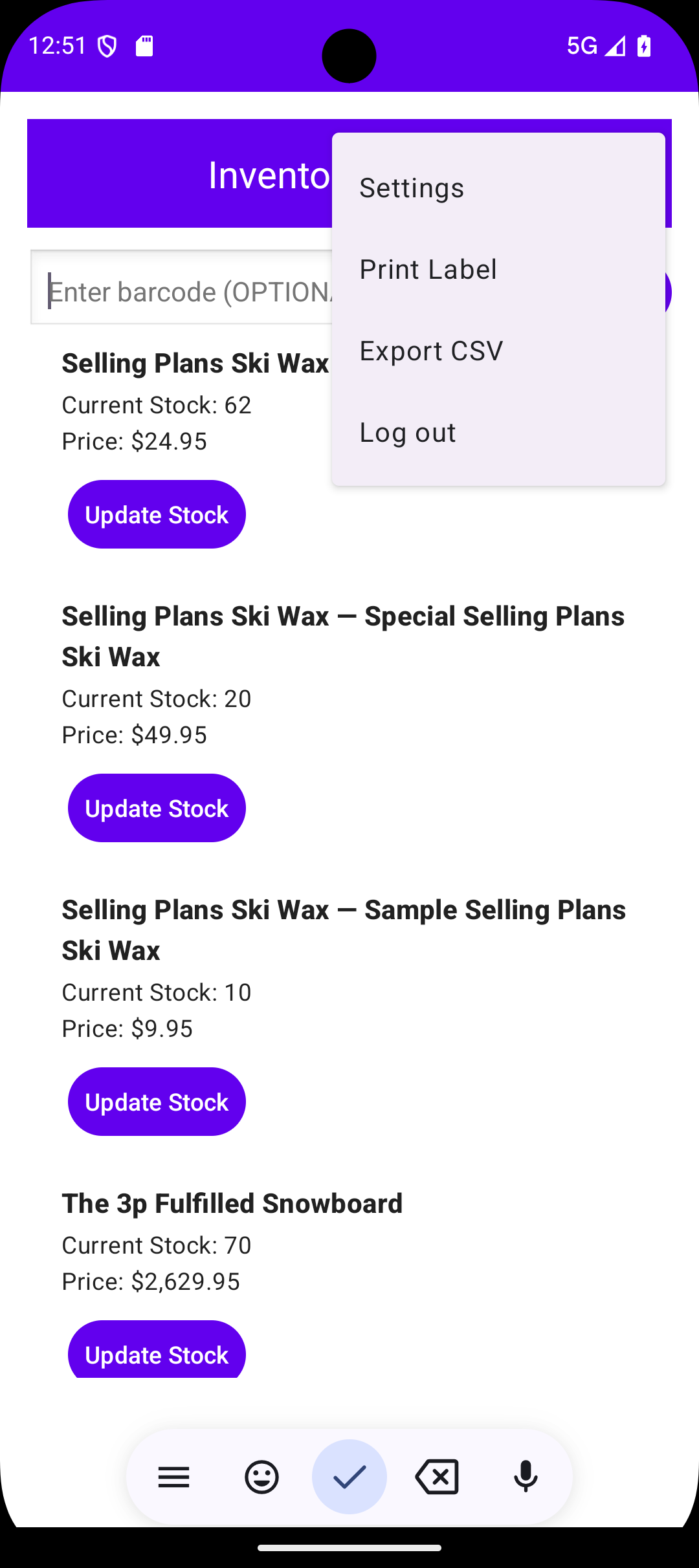
Mobile app screen showing inventory with products including Selling Plans Ski Wax and The 3p Fulfilled Snowboard, each listing current stock, price, and an Update Stock button; menu options for Settings, Print Label, Export CSV, and Log out are visible.
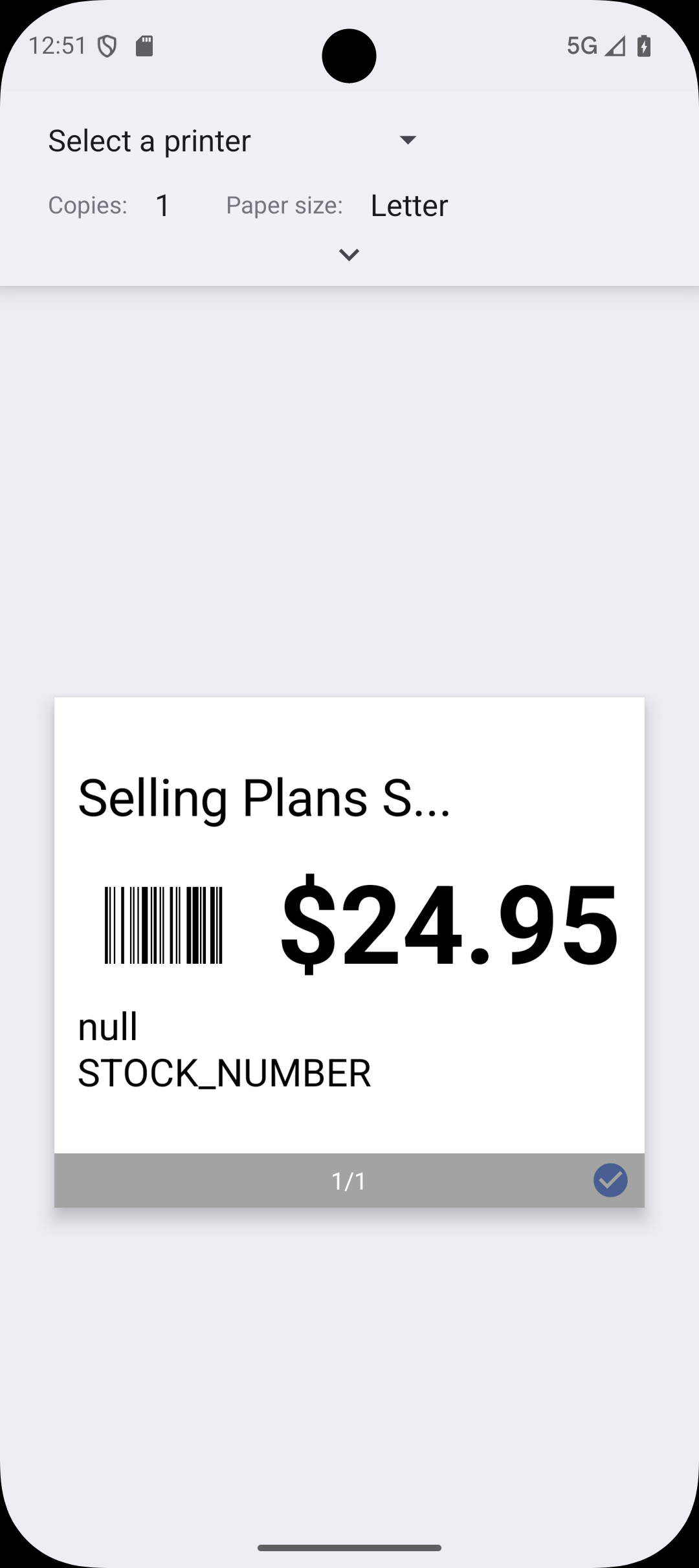
Mobile screen showing a print preview with option to select printer, one copy, letter paper size, and a label priced at $24.95 with barcode and text 'Selling Plans S...', 'null STOCK_NUMBER'.

Pricing

FREE
 
Free for 30 days
All the features in basic

Get Started
Basic
$39.99/mo.
Update inventory count
Check product price
Reconcile onsite vs online
Get Started
Premium
$49.99/mo or $500/yr
All of basic features
Print lables
Export inventory to csv
Get Started
*Price does not include additional taxes, fees, and surcharges. To learn more, please contact our sales team.

Frequently Asked Questions

How to Install EasyInventory App from Our Website (for Android Users)

Step 1: Open Settings
Go to Settings on your Android device
Step 2: Navigate to "Apps" > Tap the ⋮ Menu (Top Right)
Tap Apps
Then tap the three dots (⋮) in the top-right corner
Select Special access
✅ Step 3:
Go to "Install Unknown Apps"Inside Special Access, select Install unknown apps
Step 4: Grant Permission to the Browser or File App
Choose the app you’ll use to download the file (e.g., Chrome, My Files, or Samsung Internet)
Tap it and toggle on:
“Allow from this source”
Step 5: Disable Auto Blocker (if enabled)
Go to Settings > Security & PrivacyTap Auto Blocker and switch it OFF
(or temporarily disable “Blocks apps from unauthorized sources”)
Step 6: Download & Install the App
Sign into your account tap Download
Once downloaded, tap the EasyInventory.apk file and select Install

install-guide
Do you offer any discounts?

First 30days are free

Is there a long-term contract?

No, we don't force you into any long-term contracts. Our best price is available as an annual subscription, but we offer monthly subscriptions as well.

Which payments do you accept?

We accept online payments through Visa, MasterCard, and American Express.